 Katlendar
Guide
Calendars
Show, hide, rename and recolour calendars, and choose where new events go.
A calendar is a set of events with a name and a colour: Personal, Work, Family. Calendars come from your accounts or you make them on this computer.
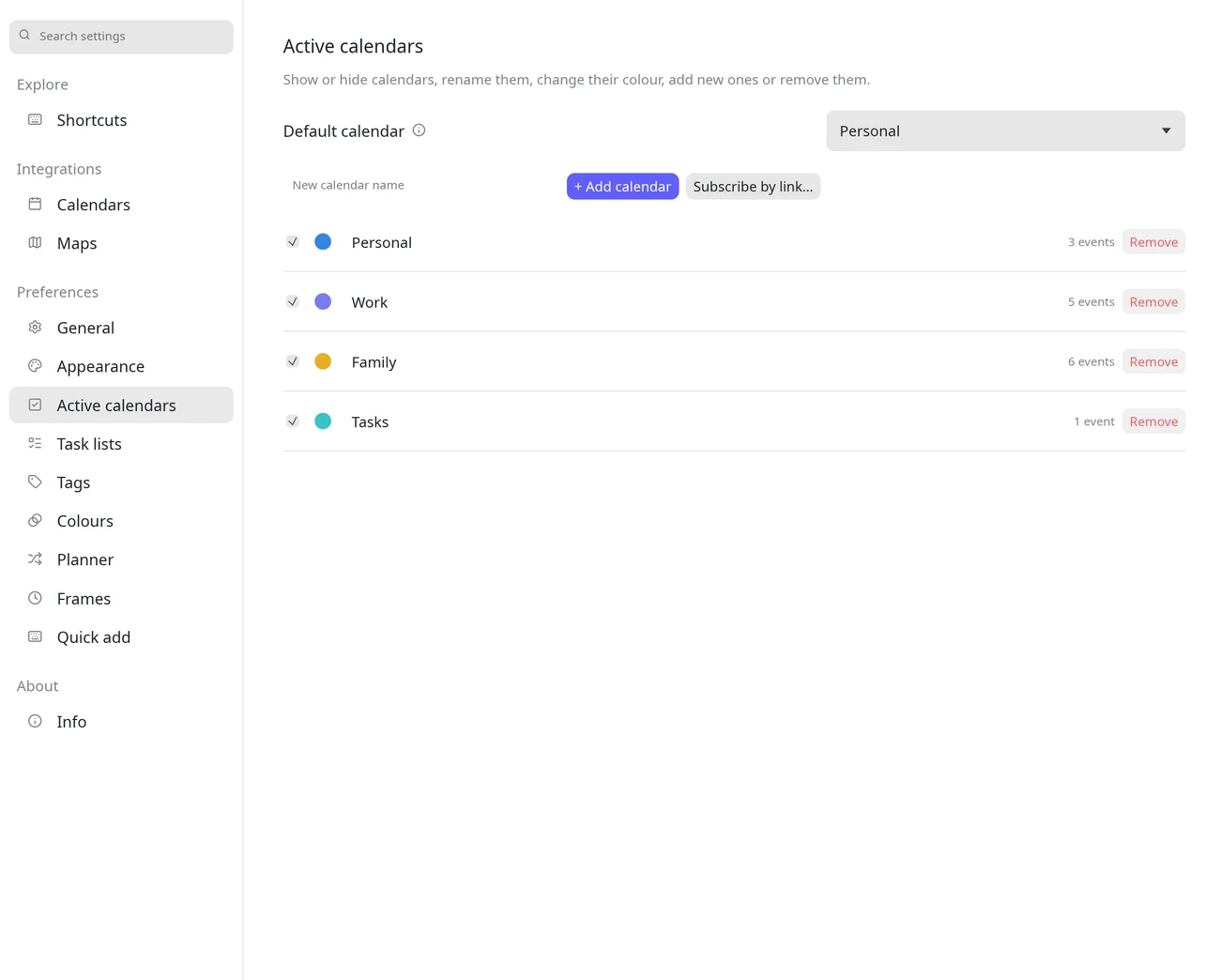
Settings › Active calendars lists them all, grouped by account:
- The box in front of a calendar shows or hides it.
- Click the colour to change it.
- Edit the name to rename it here.
- To make a calendar that lives only on this computer, type a name and click + Add calendar.
- Subscribe by link… adds a read-only calendar; see Subscriptions.
Hidden calendars still count as busy when the planner looks for free time.
Default calendar#
A block drawn on the calendar and a new event start in this calendar. You can always pick another in the event's editor.
Tasks kept in a calendar#
Some servers (CalDAV, Nextcloud) keep tasks inside calendars. Katlendar shows those as task lists. Under Settings › Calendars you choose per calendar whether to Show and sync this calendar and whether to Bring the tasks kept in this calendar in as a task list.