 Katlendar
Guide
General settings
Every row of Settings › General, and what it changes.
Open Settings with the cog at the bottom of the task panel, or Ctrl+,. Each row has an (i): hover it for a short note, click it to come here.
Tasks and due dates#
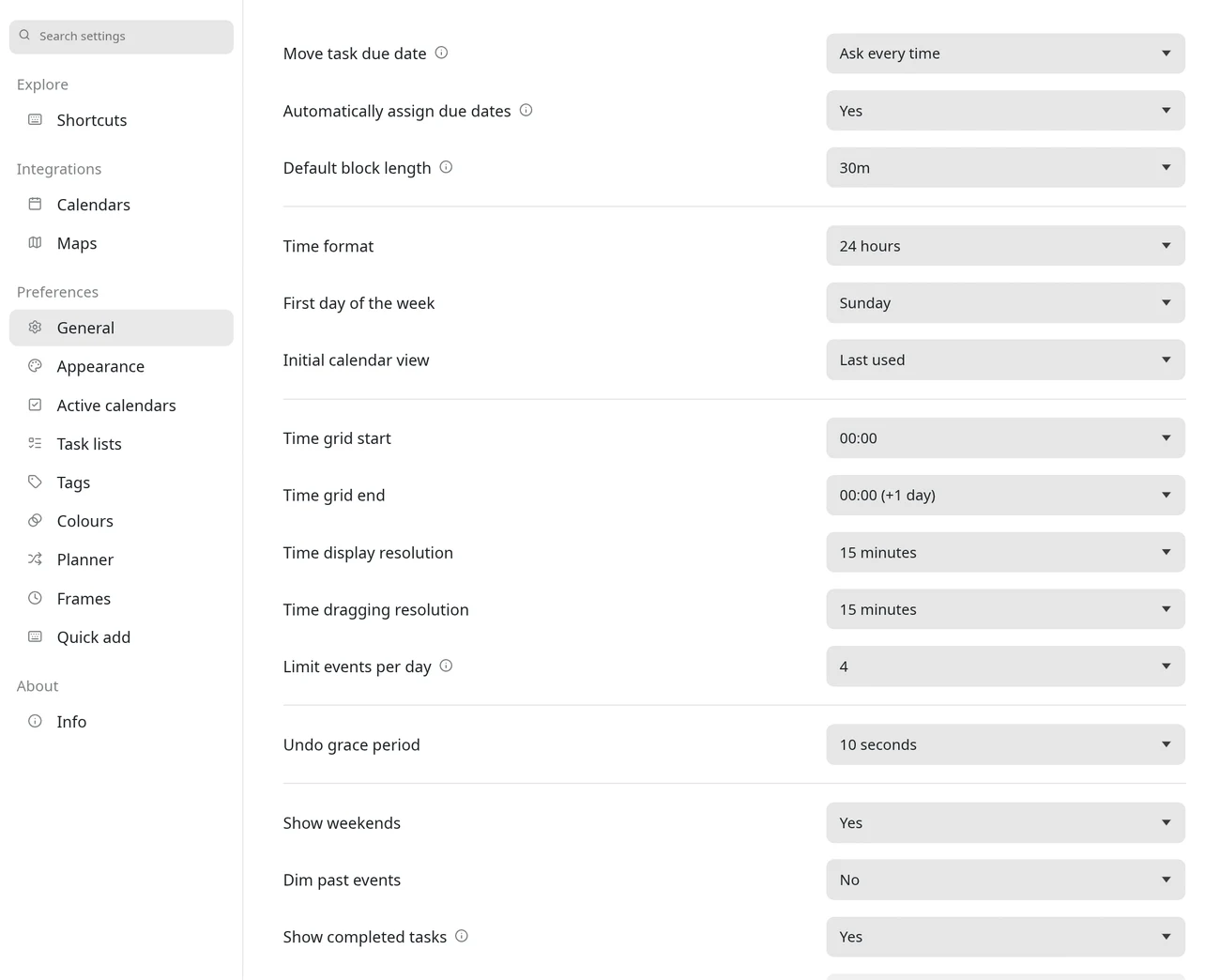
Move task due date#
What happens when you put a task's session after its due date: Always move the due date to that day, Ask every time, or Never.
Automatically assign due dates#
When on, a task with no due date that you put on the calendar gets that day as its due date.
Default block length#
How long a task's block is when the task has no duration of its own: 15 minutes up to 2 hours. A task with a duration always gets that much.
The calendar#
Time format#
24 hours (14:30) or 12 hours (2:30 PM).
First day of the week#
The day a week starts on in the week, two-week and month views.
Initial calendar view#
The view Katlendar opens in. Last used opens the one you had when you quit.
Time grid start#
The first hour drawn in the day and week views. Events before it still show at the top of the grid.
Time grid end#
The last hour drawn.
Time display resolution#
How finely hours are divided: 5, 15 or 30 minutes, or 1 hour. [ and ] change it from the keyboard.
Time dragging resolution#
The step a block snaps to when you draw, move or resize it: 5, 15 or 30 minutes.
Limit events per day#
How many events a day shows in the month view before "+ more".
Undo grace period#
How long the note with an Undo button stays at the bottom of the window after you change something. Disabled shows the note without the button. See also Undo a plan.
Show weekends#
Hide Saturday and Sunday from the day-by-day views.
Dim past events#
Draw blocks that have ended fainter.
Show completed tasks#
Keep the sessions of ticked-off tasks on the calendar, struck through.
Show scheduled tasks in the list#
Keep tasks that already have a session in the task panel. Off, the panel lists only what still needs time.
Due dates on the calendar#
Show a flag in the all-day row on the due day of each task with no session. See Tasks.